The Free Excel Planning Template De gratis Excel planningstemplate
A structured, dashboard-driven planning tool built in MS Excel. Download it, open it, use it — no installation, no license, no learning curve beyond what you already know. Een gestructureerd, dashboard-gedreven planningsinstrument gebouwd in MS Excel. Downloaden, openen, gebruiken — geen installatie, geen licentie, geen leercurve buiten wat je al weet.
Built for how spatial projects actually workGebouwd voor hoe ruimtelijke projecten echt werken
Most planning tools are built for generic projects. Schedulex is purpose-built for housing, infrastructure, and area development — where production output and phased delivery are the language everyone speaks. De meeste planningstools zijn gebouwd voor generieke projecten. Schedulex is specifiek gebouwd voor woningbouw, infrastructuur en gebiedsontwikkeling — waarbij productie-output en gefaseerde oplevering de taal zijn die iedereen spreekt.

Production DashboardProductiedashboard
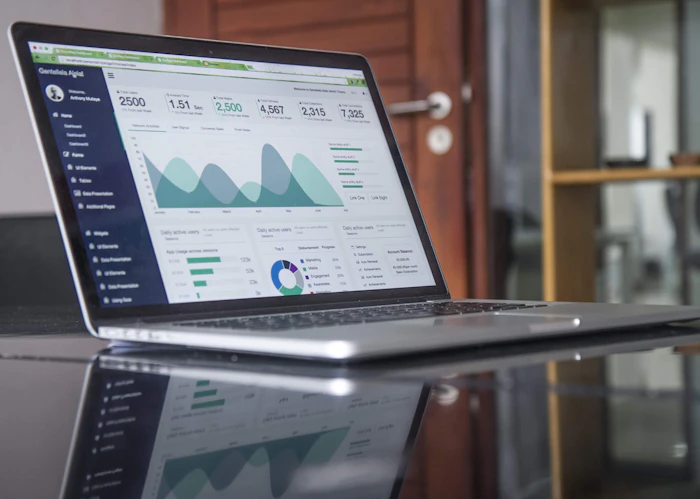
The dashboard aggregates your project data into clear visual progress indicators — updated automatically as you log progress. Het dashboard aggregeert jouw projectgegevens in heldere visuele voortgangsindicatoren — automatisch bijgewerkt naarmate je voortgang registreert.
- Track units, m², and phases completedEenheden, m² en voltooide fases bijhouden
- Planned vs actual progress per periodGeplande vs. werkelijke voortgang per periode
- Configurable production KPIs per project typeConfigureerbare productie-KPI's per projecttype

Resource PlanningCapaciteitsplanning
Map the people, equipment, and budget each phase requires — and see where capacity conflicts arise before they become delays. Koppel de mensen, het materieel en het budget dat elke fase vereist — en zie waar capaciteitsconflicten ontstaan voordat ze vertragingen worden.
- Resource demand per project phaseCapaciteitsbehoefte per projectfase
- Utilization view across the project timelineBezettingsoverzicht over de projecttijdlijn
- Alert when resource demand exceeds availabilitySignalering bij overschrijding van beschikbaarheid

Milestone & Schedule TrackingMijlpalen & planningsbewaking
A Gantt-style schedule linked directly to the dashboard. Milestones are highlighted — delays are visible the moment they occur. Een Gantt-achtige planning direct gekoppeld aan het dashboard. Mijlpalen zijn gemarkeerd — vertragingen zijn zichtbaar zodra ze optreden.
- Phase-level and milestone-level trackingBewaking op faseniveau en mijlpaalniveau
- Critical path visibilityInzicht in kritisch pad
- Deviation flagged automatically in the dashboardAfwijking automatisch gesignaleerd in dashboard

Portfolio OverviewPortfolio-overzicht
Manage multiple projects from a single summary tab. Total production, resource allocation, and delivery status across your full portfolio — in one view. Beheer meerdere projecten vanuit één samenvattingstabblad. Totale productie, capaciteitsverdeling en opleverstatus over je volledige portfolio — in één overzicht.
- Portfolio summary dashboardPortfolio-samenvattingsdashboard
- Cross-project resource viewCapaciteitsoverzicht over projecten heen
- Delivery status per project at a glanceOpleverstatus per project in één oogopslag
Works with the Excel you already have Werkt met de Excel die je al hebt
No add-ins, no macros requiring special IT permissions, no cloud account. Schedulex uses standard Excel features that work in any modern Excel environment. Geen add-ins, geen macro's die speciale IT-rechten vereisen, geen cloudaccount. Schedulex gebruikt standaard Excel-functionaliteit die werkt in elke moderne Excel-omgeving.
- Excel 2016, 2019, 2021 and Microsoft 365Excel 2016, 2019, 2021 en Microsoft 365
- Windows and macOSWindows en macOS
- Works with your existing IT security policiesWerkt met jouw bestaande IT-beveiligingsbeleid
- No internet connection required after downloadNa downloaden geen internetverbinding vereist
- Store locally, on SharePoint, or on shared drivesLokaal, op SharePoint of op gedeelde schijven opslaan
Download the free template Download de gratis template
Enter your details and we'll send the template directly to your inbox. We'll also let you know when updates or new features are available. You can unsubscribe from these emails at any time. Vul je gegevens in en we sturen de template direct naar je inbox. We laten je ook weten wanneer er updates of nieuwe functies beschikbaar zijn. Je kunt je op elk moment afmelden voor deze e-mails.
Questions about the templateVragen over de template
Is the template really free — no catch?Is de template echt gratis — geen addertje?
Yes. The base template is free, permanently. No trial period, no freemium lock, no surprise upgrade wall. We make money by selling customized versions and consulting — not by restricting the free template. Use it as long as you like.Ja. De basistemplate is gratis, permanent. Geen proefperiode, geen freemium-blokkering, geen verborgen upgrade. We verdienen geld met maatwerk en consulting — niet door de gratis template te beperken. Gebruik het zo lang je wilt.
Which Excel versions are supported?Welke Excel-versies worden ondersteund?
Excel 2016 and later, including Microsoft 365 on both Windows and macOS. The template uses standard Excel features — no VBA macros that require IT approval, no external data connections, no add-ins.Excel 2016 en later, inclusief Microsoft 365 op Windows en macOS. De template gebruikt standaard Excel-functionaliteit — geen VBA-macro's die IT-goedkeuring vereisen, geen externe dataverbindingen, geen add-ins.
How many projects can I manage with the template?Hoeveel projecten kan ik beheren met de template?
The base template is designed for a single project with a portfolio summary tab. For managing a larger portfolio of 5+ projects simultaneously, a custom version with linked workbooks or a consolidated dashboard is the better fit — that's where our customization service comes in.De basistemplate is ontworpen voor één project met een portfolio-samenvattingstabblad. Voor het beheren van een groter portfolio van 5+ gelijktijdige projecten is een maatwerk versie met gekoppelde werkboeken of een geconsolideerd dashboard beter passend — dat is waar onze maatwerkaanpak van pas komt.
Can I adapt the template myself?Kan ik de template zelf aanpassen?
Yes — the template is fully unlocked. You can add columns, change labels, extend formulas, and adapt the structure to your workflow. If your changes grow into something complex, we're available for consulting to help you do it properly.Ja — de template is volledig ontgrendeld. Je kunt kolommen toevoegen, labels wijzigen, formules uitbreiden en de structuur aanpassen aan jouw werkproces. Als jouw aanpassingen complex worden, zijn we beschikbaar voor consulting om je hierbij te helpen.
What's included in a custom template?Wat is inbegrepen in een maatwerk template?
A custom template starts with a discovery session to understand your planning workflow, KPIs, reporting structure, and team. We then build a version of Schedulex tailored to your exact specifications — including any additional dashboards, reporting exports, or integrations with your existing Excel files.Een maatwerk template begint met een kennismakingsgesprek om jouw planningsworkflow, KPI's, rapportagestructuur en team te begrijpen. Daarna bouwen we een versie van Schedulex die is afgestemd op jouw exacte specificaties — inclusief eventuele extra dashboards, rapportage-exports of integraties met bestaande Excel-bestanden.
Need something more tailored?Iets meer op maat nodig?
The free template is a solid starting point. When your organization outgrows it, we'll build exactly what you need.De gratis template is een solide startpunt. Wanneer jouw organisatie er overheen groeit, bouwen we precies wat je nodig hebt.
